
Index

DIRECT EDITING OF HTML SOURCE
also see WYSIWYG page editor
This program is equipped with a powerful editor of HTML source code.
The editor can be used for any HTML pages, including any ELN pages,
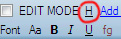
and is accessed via the H button:
 |
The following menu with page HTML code will appear:
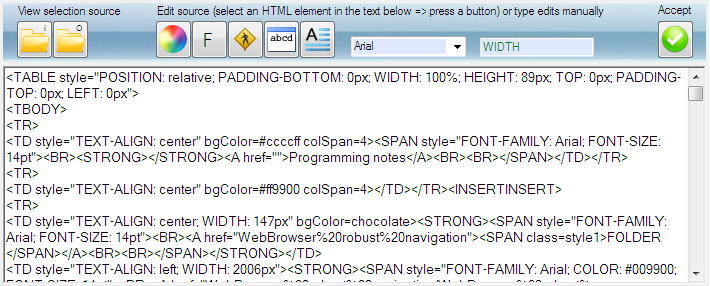 |
To greatly simplify things, not all HTML source may appear, but only the source of a currently selected element.
For example, if one clicks the refresh button  and then the H button, a complete HTML code will be shown.
Either innerHTML  or outerHTML
 can be accessed, depending on the task.
However, if prior to clicking the H button, a word or an image was selected on the HTML page with a mouse, only local HTML code of this item and its related HTML elements will be shown.
A WORD OF CAUTION
Certain source edits may disrupt automatic processing of the edited pages by the ELN software. This may result in incorrect linking of the edited pages. To avoid this, please remember that when editing ELN-generated html pages,
it is safe to edit general description area, where experimental is located.
it is unsafe to change more global page settings: cell formatting, background colors, page title, etc outside of the experimental description area.
TUTORIAL
Example 1.
Let's animate the phrase below:
HTML source editing is worth learning
Select this phrase with a mouse. Press the H button. You should see HTML code in the source editor that contains:
There, select the phrase HTML source editing is worth learning in the source editor and press the  button, which will format the text selection (in this case, "HTML source editing is worth learning") for animation. Now press the Accept button
  . You should see the following result:
You can go ahead and format this phrase using the font  properties and the color
  dialogue of the H utility, and slow down it a little:
Example 2.
Let's format this phrase
HTML source editing is worth learning
to be in a custom-colored text box.
As above:
-> select this phrase with a mouse on this page
-> press H
-> find this phrase in the HTML source (use the find! box)
-> select this phrase in the HTML source window
-> press the text box button  which will format the selected text to be inside a text box
-> format the colors using the button. To format colors, first find these two fields in the newly inserted TextArea:
BACKGROUND-COLOR: #FFCC66
COLOR: #000000
to replace this color with anything you like. Repeat the same for #000000, using a different color.Press
to see the result:Do not forget to save the edited page using the save/undo button in PAGE EDITOR, else editing results will be lost.
Finally, you can resize and move the box around as you like. From the PAGE EDITOR's EDIT MODE, or from the source editing utility -- either way will work.
Many additional possibilities can be realized via HTML source editing - everything that HTML language offers.